How to run Unified Detection
What can I do with Unified Detection?
- Create consistent object proposals across a dataset using both VLM and SAM.
- Merge overlapping detections from multiple sources.
- Prepare inputs for downstream operators such as Find Similar or Modify Detections.
1. Select your dataset
- To load a dataset for the first time, use the
Create Dataset from Directoryoperator.
Create Dataset from Directory
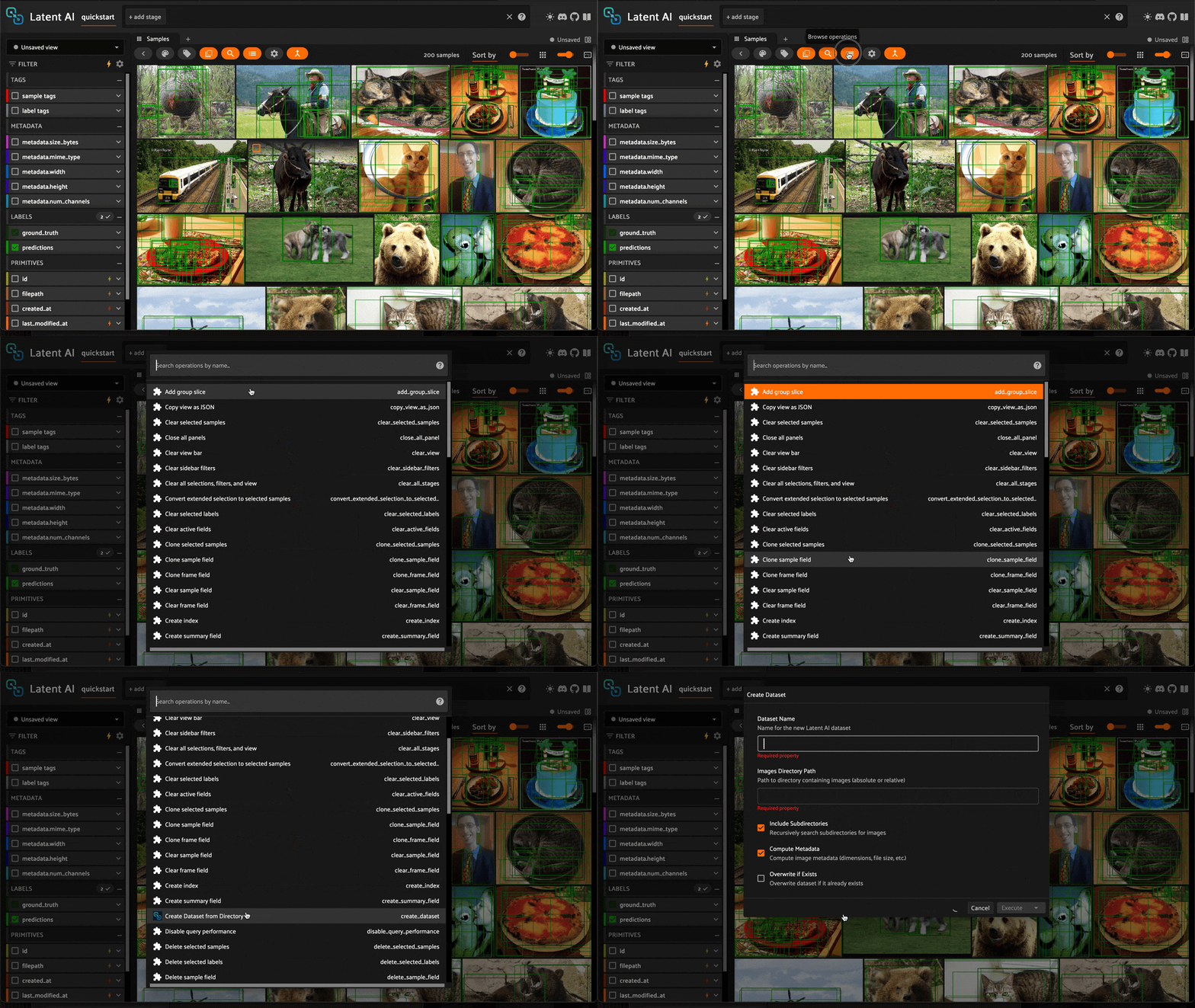
- Give the dataset a name, provide a relative or absolute path to the dataset directory, and click
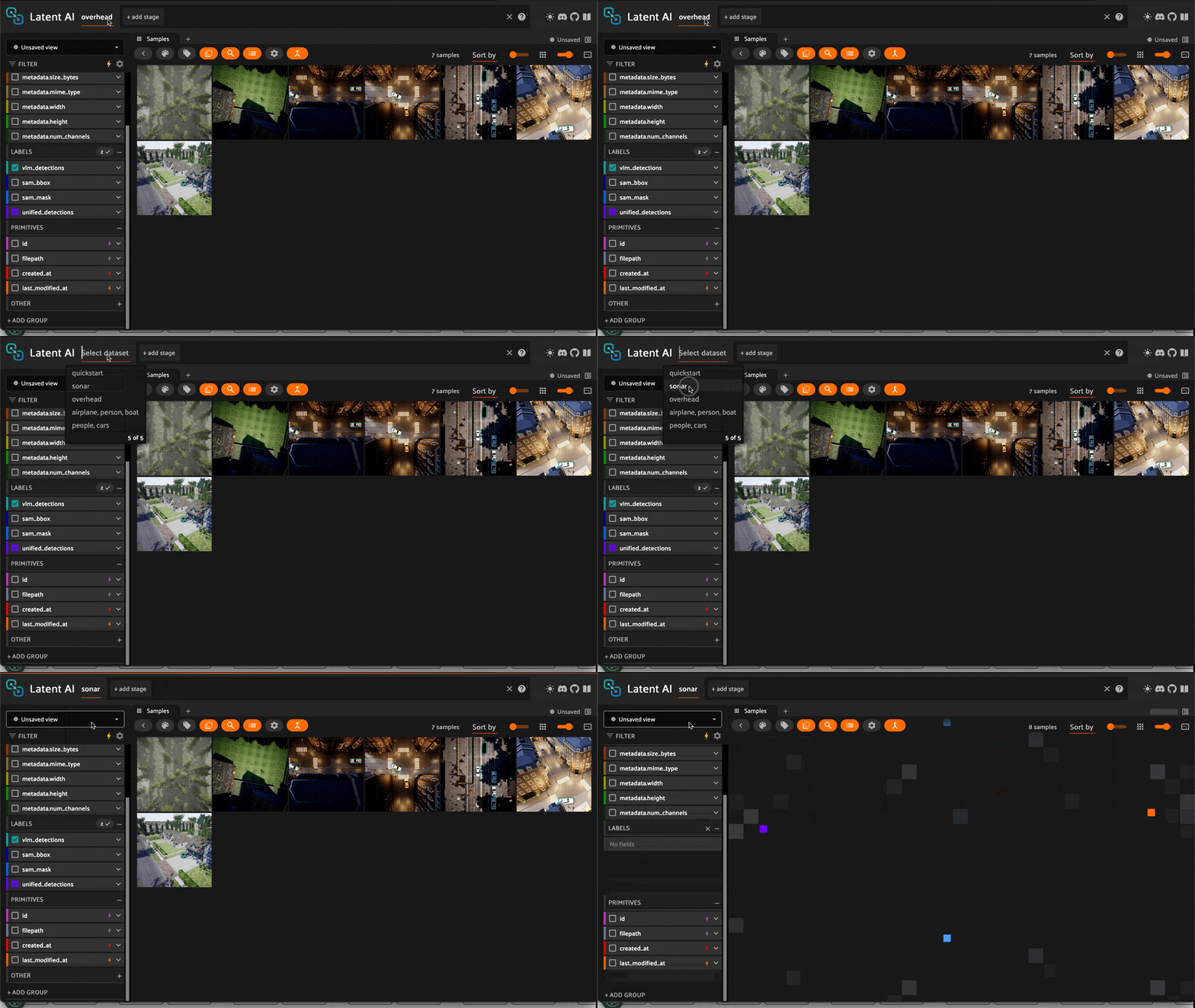
Execute. - Once you've loaded a dataset, it will always be available to load in the
Select Datasetmenu.
Load Dataset
2. Launch the Unified Detection operator
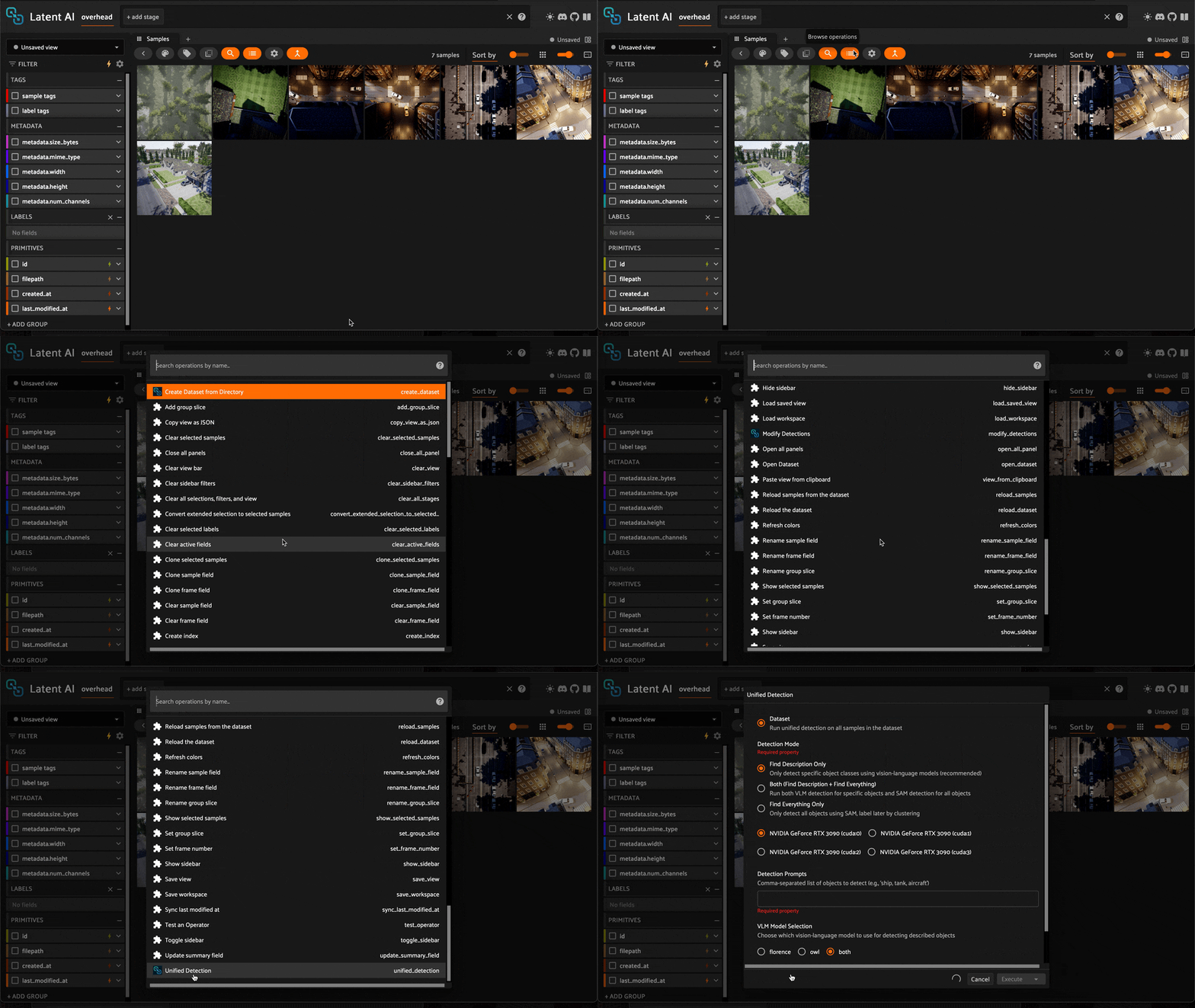
- Select the
Unified Detectionoperator in theBrowse Operationsmenu.
Select Unified Detection
3. Choose the detection mode
Find Description– detect only prompted classes using a Vision Language Model (VLM).Find Everything– detect all visible objects using Segment Anything Model (SAM).Both (Find Description + Find Everything)– run both modes and merge results (recommended for general use).
4. Enter prompts (for VLM)
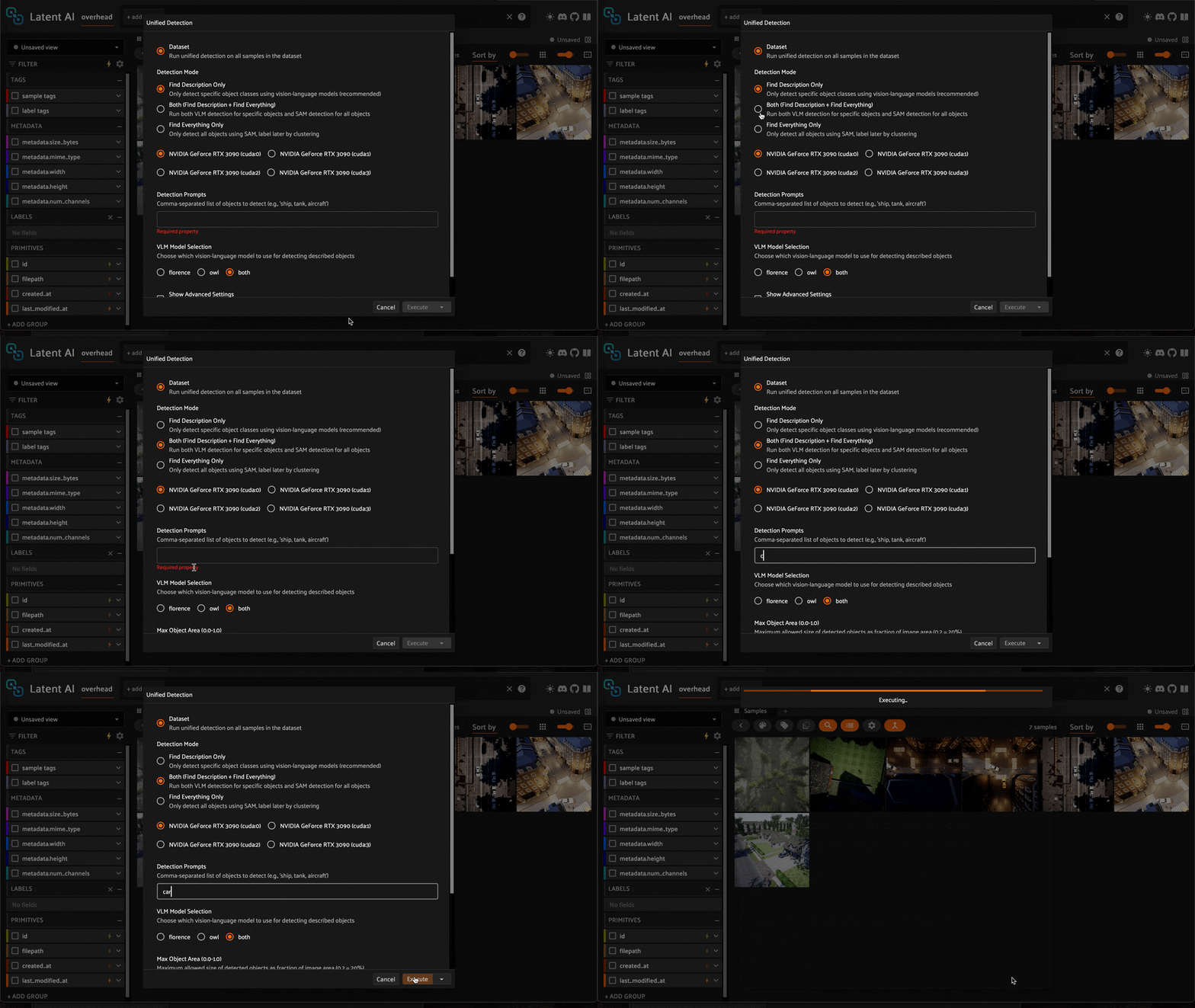
- Supply comma-separated object names or short phrases to guide
Find Description:
pallet jack, forklift, hard hat
- If needed, select your GPU device, then click
Execute.
Execute Unified Detection
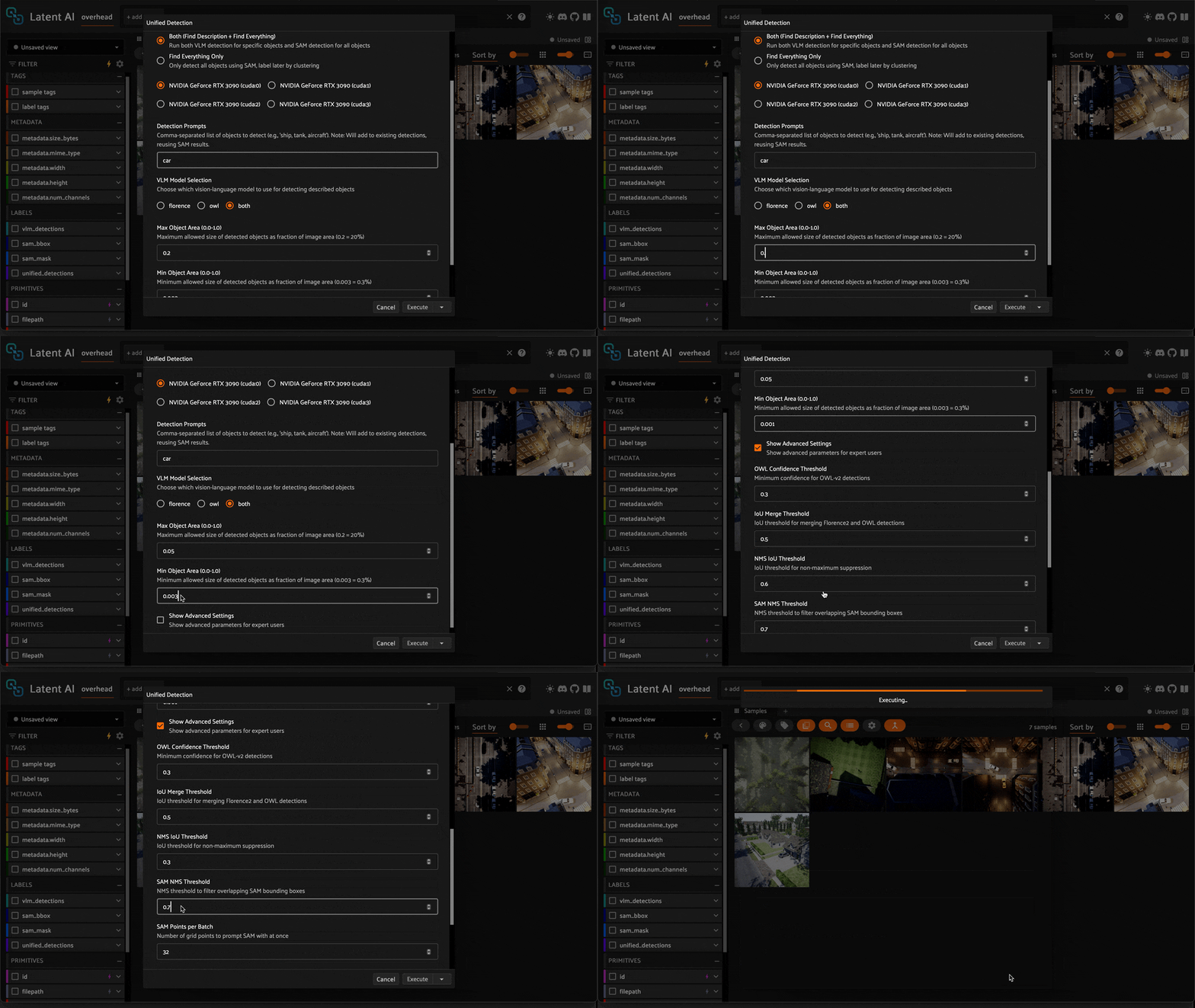
5. Adjust parameters (if needed)
When using Find Everything, Max Object Area and Min Object Area often need to be adjusted to get the right fit for your dataset.
Max Object Areais a value between0.0and1.0that defines the maximum allowed size of detected objects as fraction of image area (e.g.,0.2= 20%).Min Object Areais a value between0.0and1.0that defines the minimum allowed size of detected objects as fraction of image area (e.g.,0.003= 0.3%).
Once you've made your adjustments, click Execute to rerun Unified Detection.
Adjust Parameters
Info
For a complete list of operator parameters, consult the reference page.
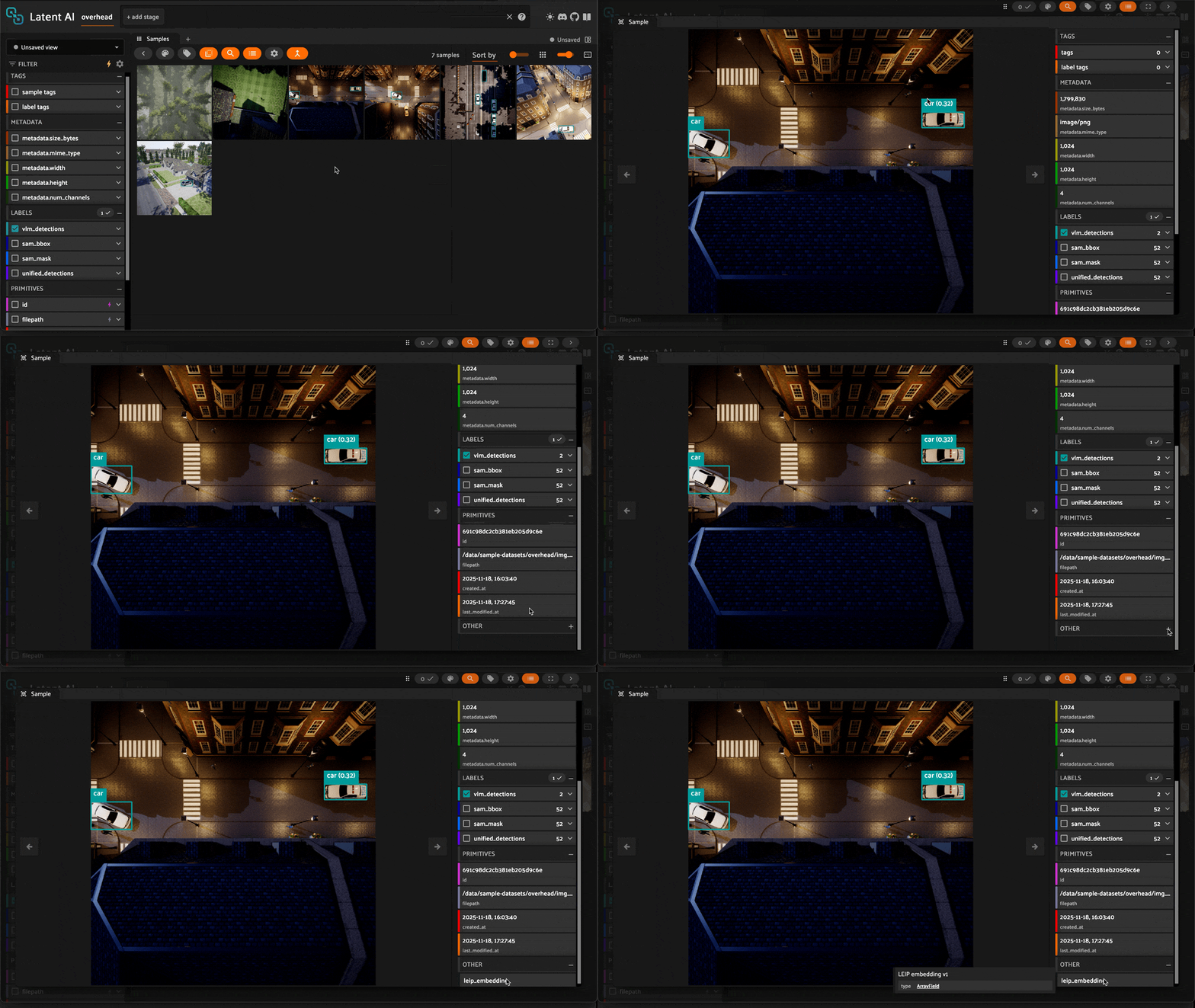
6. Inspect results
Once Unified Detection has finished running, open a sample and confirm the presence of vlm_detections, sam_bbox, sam_mask, and unified_detections (as applicable), as well as leip_embedding.
Inspect detections
Troubleshooting
If you run into problems, consult the troubleshooting guide.